
October 2025 Release Notes
The Variable Scorecard
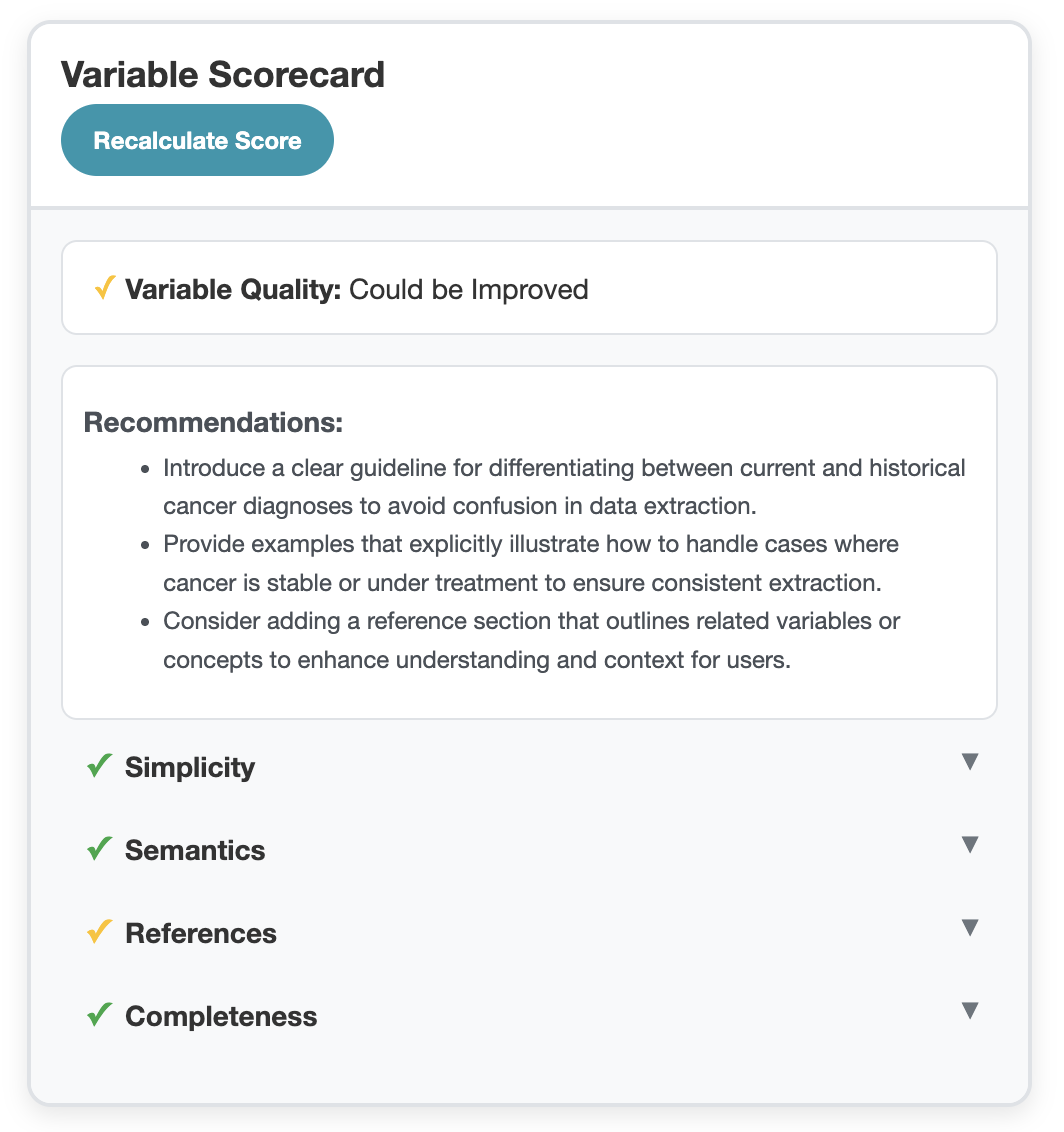
🧠 Smarter Variable Design, Simplified
Our experience building variables for a variety of projects has taught us that the most accurate and consistent variables have similar characteristics. The Variable Scorecard helps you leverage those best practices. It automatically reviews your variable and gives targeted feedback across four key areas:
- Simplicity. Is your variable focused on answering one question?
- Semantics. Does your variable have sufficient instructions for handling temporal factors, units, etc.?
- References. If your variable references other variables, is it clear how to use them?
- Completeness. Are the fields in your variable consistent with one another, and does it include examples?
You’ll see at a glance how your variable stacks up and where to improve. The Scorecard also gives a top-level score of Red, Yellow, or Green so that you can prioritize which variables to improve.
⚙️ Actionable Recommendations, Built In
The Scorecard doesn’t just give feedback; it also shows the path to improving your variable. Each flagged item comes with a concrete next step, whether that’s defining a time context, splitting a compound variable into separate concepts, or adding examples. You’ll know exactly what to do to make your variable perform more accurately.
📈 Consistency at Scale
By using the Scorecard, teams can quickly understand variable quality across projects and ensure clear, consistent instructions for both abstractors and models. It’s the fastest way to go from “it works” to “it’s ready for production.”
You’ll find the Scorecard on the right when you’re editing a variable. For more on how it works, see the documentation.
Also in this Release
- Better management of tabs: work in multiple projects at once without interfering or being forced to switch.
- Performance improvements to Validation Datasets and Generation
- Improvements to Raw Text highlighting to decrease character count and improve meaning
- Rewriting lockout logic to be more effectiev
- Standardize display of boolean values
✨ How to Get the Latest Brim Version
This version is called: 2025.10.30
You can check your current version in Settings > About.