
September 2026 Release Notes
📈 Variable Optimization: Improvement Suggestions
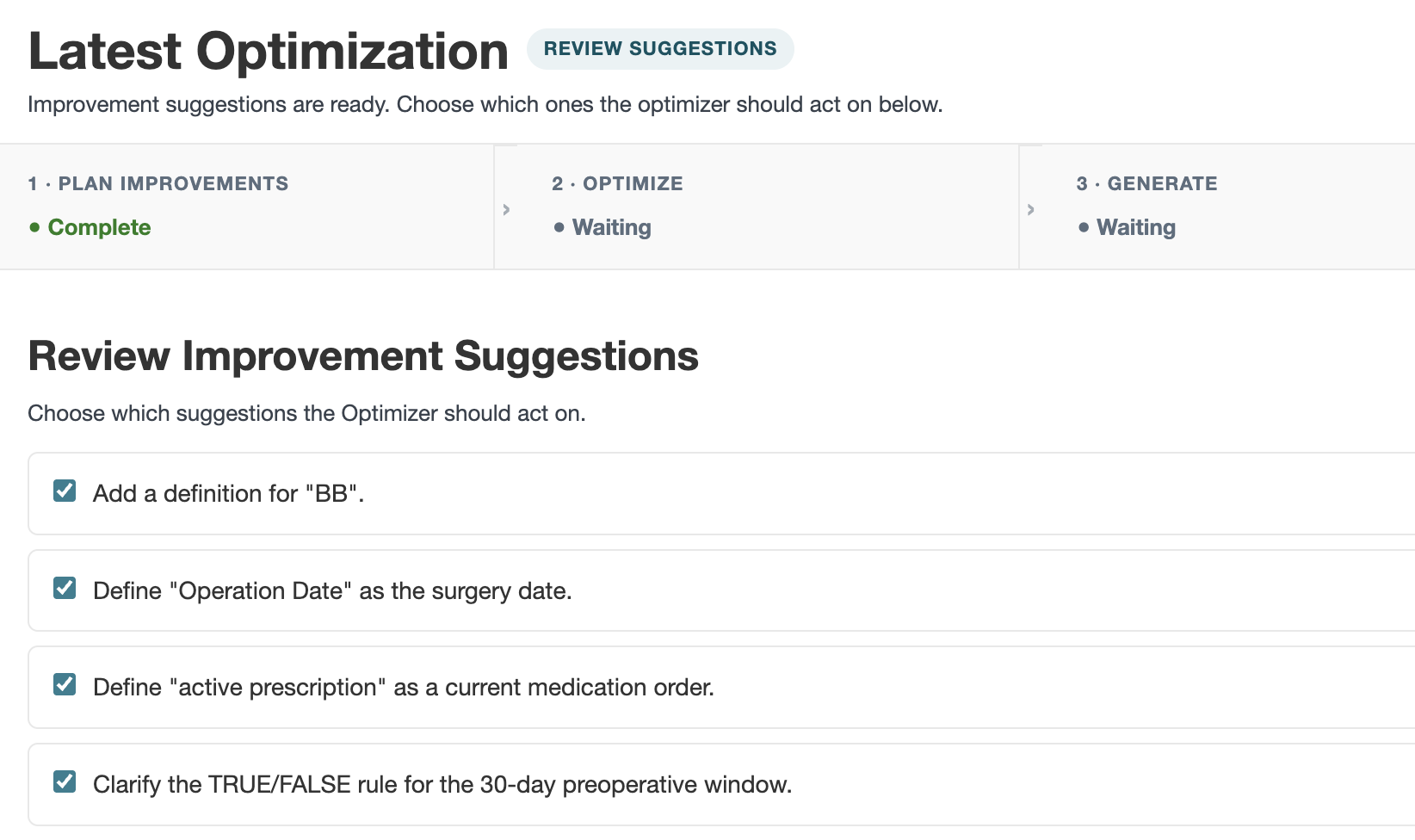
The Optimizer now works more like a collaborator than an autopilot. Open Project Setup and click Optimize on a variable. From there you can:
- Review Improvement Suggestions first. Before anything is rewritten, the Optimizer lists what it would change and why. Pick the suggestions you want to implement and skip the rest.
- Get better use of validation examples. The Optimizer draws more effectively on your validation examples to suggest changes that will make an impact.
- See a clearer view of your changes. Changes between current and proposed instructions are highlighted, so it's easy to see exactly what changed.
Learn more in our documentation.
🪙 Token Usage Management
New tools help you manage token spend and understand what your variables send to the LLM:
- Generation warnings. You'll see a warning if your label generation is expected to use a large number of tokens, and be asked to confirm if your generation is projected to pass your project token limit.
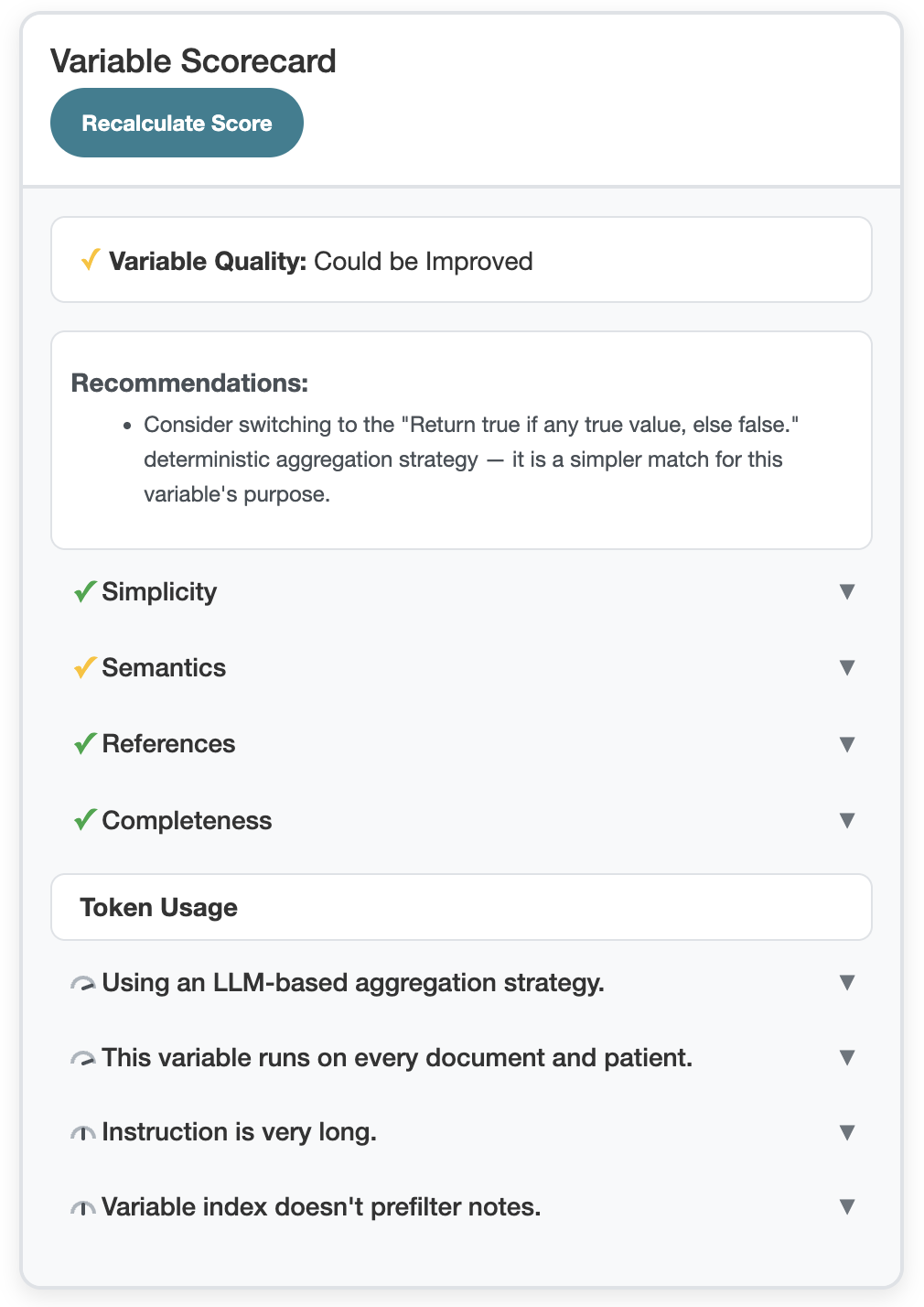
- Token guidance in the Variable Scorecard. The Scorecard now gives feedback on each variable's token usage, with guidance on how to reduce it. Learn more in our documentation.
- Variable Index Preview. Your Variable Index determines which portions of a note get sent to the LLM, so changing it can significantly impact your token spend. Preview the effect an index change would have on your variable before you make it. Learn more in our documentation.
🧬 Changes to Main Generation Flow
These improvements to the main generation flow should improve results on your existing variables:
- Automatic error check updated so that the reasoning for a value is less likely to disagree with the actual value.
- More predictable timestamp logic, including new formatting options for timestamp variables. Pre-existing timestamp variables will be updated to ISO format (YYYY-MM-DD), which you can modify in Project Setup. Learn more in our documentation.
- "Earliest date" and "latest date" aggregation strategies retired for One per Note variables. Pre-existing One per Note variables using these strategies will be converted to custom aggregation.
🙌 Customer Requests
Several improvements based on your requests:
- Reviewer visibility. See who reviewed a label, and filter results by reviewer.
- API deletion. Delete a patient or a project via the API.
- Export improvements. Filter by multiple MRNs, and include raw text offset and a link to patient results in the Detailed Export.
Keep them coming! Reach out to support@brimanalytics.com.
Also in this Release
- Add Aggregation instructions to New Optimization form
- Advanced Setting to control duplicate value dropping for Many per Note variables
- Fixed bug where Accept All button didn't work for Abstractor permission level
- Fixed bug where some Reference documents weren't being used when creating a variable or dependent variable.
- Improved upload CSV error handling and cleaned up text
- When deleting a variable, DV or structured data variable, provide a warning that variables referencing it will have orphaned references
- Updated "Status" cards in label table for clearer UI
- Made value column on tables searchable with icontains
- Perform user-initiated variable deletion asynchronously
✨ How to Get the Latest Brim Version
This version is called:
2026.09.30
You can check your current version in Settings → About.